To create AI model photos for clothing without a photoshoot, generate a photoreal preview of the garment from its fabric, then use an AI model tool to place that garment on a model and choose the pose and scene. You get on-model images in minutes. Use them for catalogues and buyer decks, and label them honestly.
A photoshoot needs a stitched garment, a model, a photographer, a location and editing time. For a brand launching twenty designs, or a fabric seller with two hundred prints, that is rarely possible for every item. AI model photos fill that gap. This guide explains the workflow, where it works, and where you should still use a camera.
How do AI model photos work?
The model photo is only as good as the garment you feed it. So the first step is a garment preview: a photoreal image of the design, generated from a photo of the actual fabric. The fabric to garment guide covers that step in full.
The second step places that garment on a person. The AI keeps the design, print and colour of the garment and renders it worn by a model, with natural folds where the body moves, in the pose and setting you chose.
Splitting it into two steps matters. You fix the garment first, tweaking the collar or sleeves until it is right, and only then put it on a model. If you try to do everything in one prompt, a problem with the garment means starting the whole image again.
How to make an AI model photo of a garment
- 1
Create the garment preview
Upload a flat, evenly lit photo of the fabric and choose the garment type and style. In Preloom this usually takes under a minute. Follow the fabric photo guide so the colour is right from the start.
- 2
Refine the design before adding a model
Use plain-English tweaks such as "make the neckline round, add a contrast border at the hem" until the garment is final. Earlier versions are kept if you change your mind.
- 3
Choose who wears it
Pick a studio preset that matches your customer: female, male, senior, teen girl, teen boy, girl, boy, toddler or baby. Or upload your own photo of a person, such as a brand ambassador, with their consent.
- 4
Set the pose and scene
Choose a pose and a scene that fit where the image will be used: a plain studio backdrop for a catalogue, a lifestyle setting for social posts.
- 5
Generate and check against the real garment
Compare colour, print scale and details with the fabric or the stitched sample. Regenerate if anything important has drifted.
The garment preview that comes first
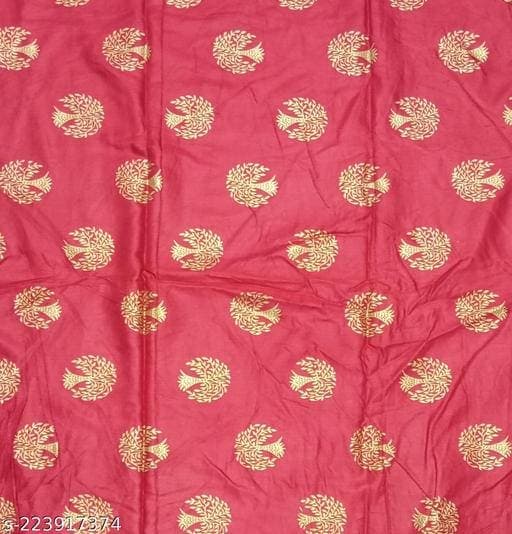 Fabric
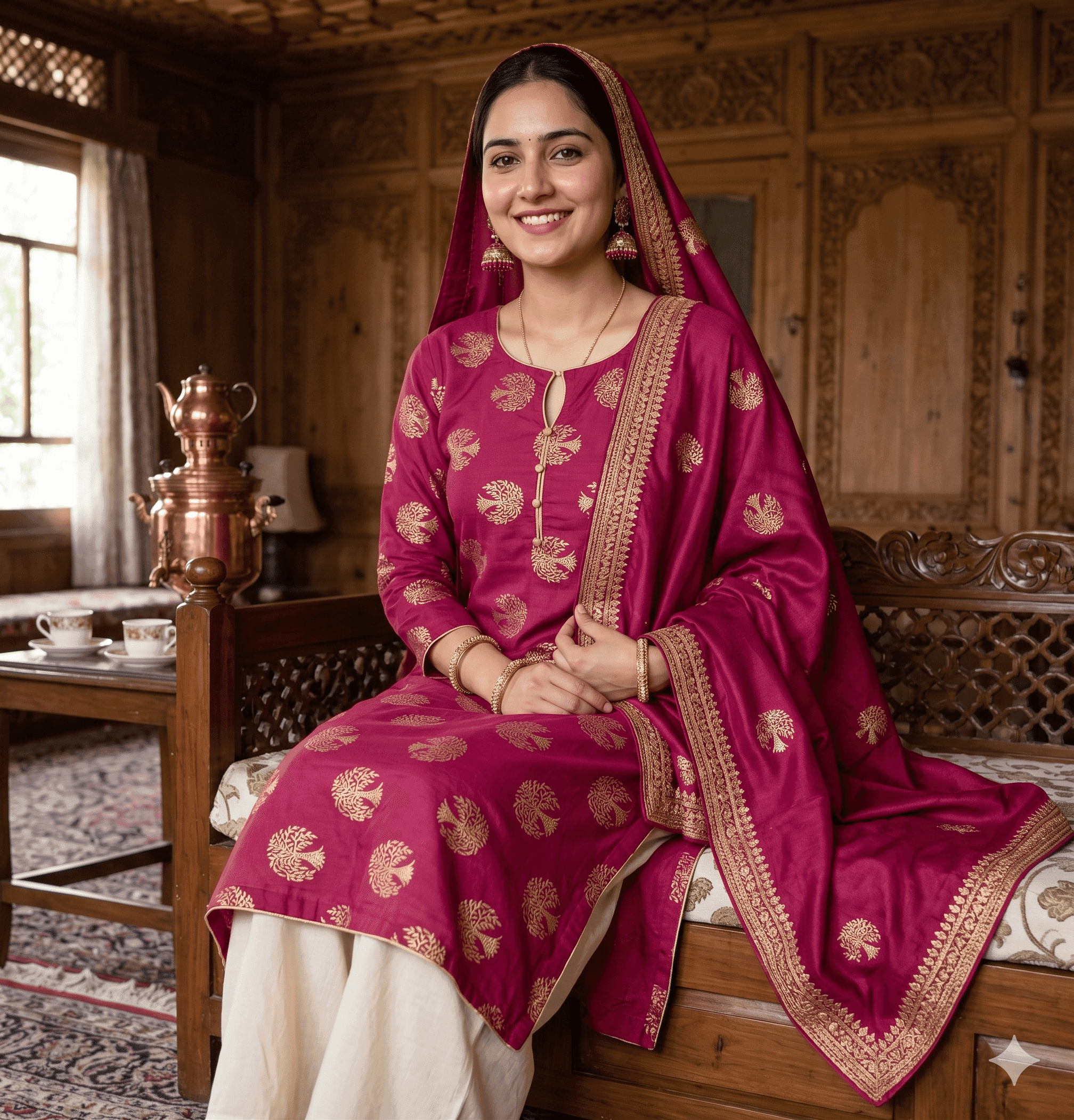 Preloom output
When should you use AI model photos?
| Use | Good fit? | Why |
|---|---|---|
| Buyer decks and line sheets | Yes | Buyers see the range worn before samples exist; you show more designs for the same effort |
| Pre-selling and made-to-order | Yes, with a label | Customers see what they are ordering; say the image is a visualization |
| Social posts and campaign tests | Yes | Quick to test which design or colour gets attention before producing it |
| Unstitched fabric listings | Yes | Shows the cloth as a finished suit, which a folded bolt cannot |
| Main image of a ready-made product | Use caution | Customers judge exact colour and fit from it, and some marketplaces have strict main-image rules |
| Size and fit guidance | No | AI cannot show how a specific size fits a specific body |
Should you tell customers the photos are AI-generated?
Yes. It is the honest choice, and increasingly it is a platform rule. A simple line such as "Model image is AI-generated; colours may vary slightly from the fabric" sets the right expectation and protects you from returns and complaints.
Platform rules differ, so check the current policy for each place you sell:
- Etsy requires sellers to disclose in the listing description when an item is created with the use of AI, as reported by TechCrunch when the policy was introduced in July 2024.
- Google Merchant Center states that all AI-generated product images must contain the IPTC DigitalSourceType trainedAlgorithmicMedia metadata tag, and that sellers must not strip it (Google Merchant Center Help). Check that your image editing and export steps keep metadata intact.
- Amazon and other marketplaces set their own image rules per category, often including strict rules for the main image. Read the current style guide for your category in the seller portal before using any AI image as a main image.
What does it cost?
In Preloom, AI model photos are part of the Professional and Enterprise plans. Each image uses credits like any other design, and if a generation fails its credits are refunded automatically. See pricing for the current plans.
If you sell unstitched suits, selling unstitched fabric online shows how previews and model photos fit into a product listing.